Map Editor |


|
|
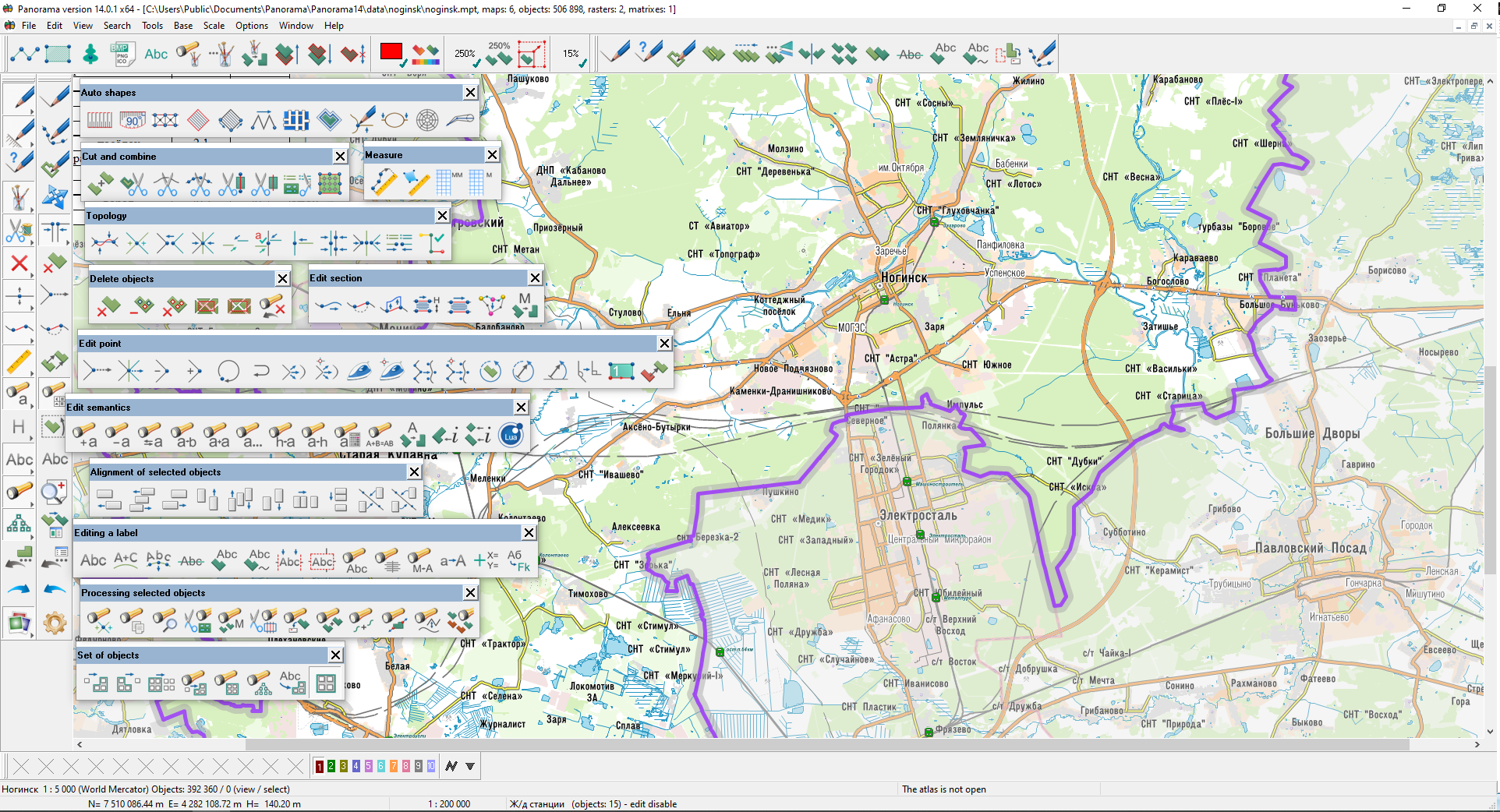
To activate editor of the vector map select Map Editor item from Tools menu. Map Editor is intended for creation and editing of digital maps. Vector map editor is controlled by the additional control panel located in left part of the program main window at the starting of Map Editor. Control panel of Map Editor (further - the main editor panel) can have a standard sort or professional sort. The standard panel of map editor includes a minimum set of modes of creation and editing of digital map objects. The professional panel of map editor represents enlarged version of the standard panel and includes a series of modes ensuring additional service for creation of digital maps « from zero point ». Control panel of Map Editor represents a set of keys, each of which corresponds to definite edit mode. In the professional panel besides there are keys conforming to the whole modes groups of creation and editing of map objects. The selection of such key results to appearance of the additional map editor panel keeping a set of keys, conforming to definite editor functions. The call of editing function is carried out by pressing of the appropriate key. The key assignment is commented in message line at cursor presence above the appropriate key.
After completion of executed operation (finish of object editing) saving of entered data into the appropriate file is carried out. If program failures after completion of object editing, data is not lost. All displaying options (such as color, scale, view contents, background etc) are available during of creation and editing process and can be changed any time you need. Map editor functions: Create object with existing code Create object group by coordinates from file Full copy (duplicate) of object Edit common vertices of adjacent objects Create points of objects intersections Copy marked objects to user map Change code (Re-code) of marked objects Subpanel Semantic (of marked objects) Append semantic to marked objects Delete semantic of marked objects Change semantic of marked objects Expanding (prolongation)of line object Grouping Scale range for marked objects Editing of object semantic characteristics by list |