Address formation |


|
|
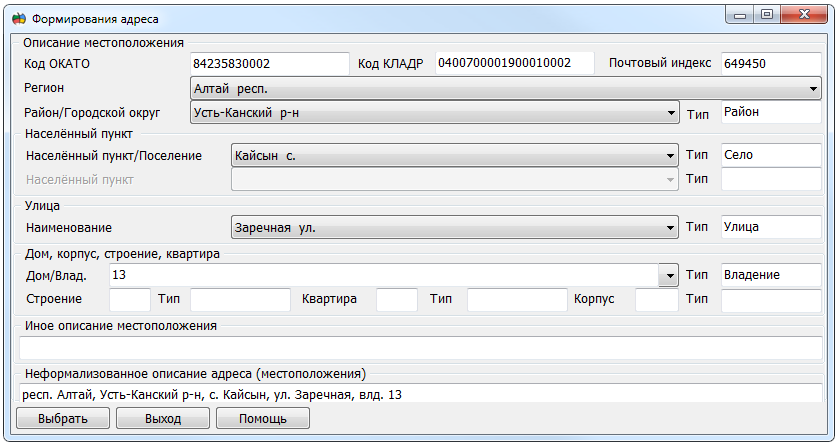
Address Formation Dialog
The dialog is designed for sequential selection of address elements from corresponding lists, thus forming a complete address of the object.
The next list becomes available only after selecting an element in the previous one. The set of elements in the first list is determined by the composition of the subjects of the Russian Federation. Elements of each subsequent list are determined by the selected element in the previous one.
The field Other location description is available for free editing. The Select button is designed to transfer the formed address to the calling dialog. Pressing the Exit button closes the dialog without saving changes. |