Group Semantics |


|
|
Group semantics contain groups of semantics that describe complex properties of map objects.
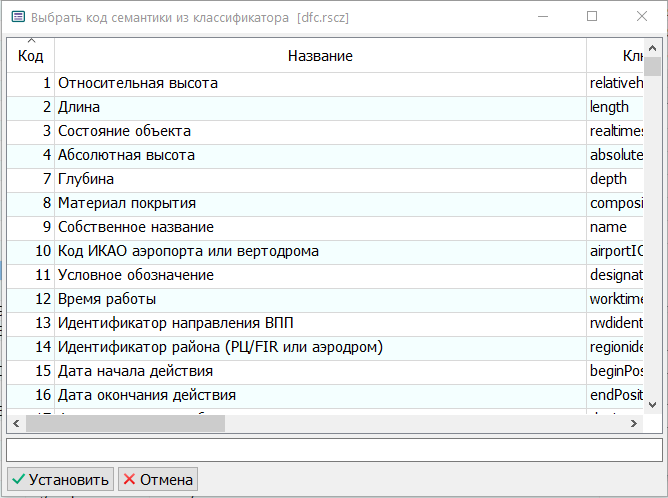
For example, a house at an intersection may have two addresses. Each address in a full description may include the city name, street name, house number, building number, postal code, and other properties. The street name and house number must be perceived strictly in a specific combination. In this case, a group semantic "Address" can be created for the object, including, for example, five semantics: city name, street name, house number, building number, postal code. A house at an intersection may have one or more "Address" group semantics. Semantics included in a group are usually not included in the general list of semantics for the object. The Add
After selecting the semantics belonging to the group, click Set. The Delete In the Repeatable column of the group semantics table, clicking the mouse allows you to set the repeatability flag for a semantic within the group. This flag is used when a group semantic object may have multiple values for the selected semantic. In the Mandatory column of the group semantics table, clicking the mouse allows you to set the mandatory flag for a semantic within the group. Mandatory semantics are used in a symbolic formula string to display the group semantic in a brief form within the list of other semantics of the object. The formula includes only those semantics that are minimally sufficient to display in a collapsed list for identifying the value. For example, street name (code 31201) and house number (code 31202). The formula for the collapsed value of the group semantic might look like: "#31201, #31202". In expanded form, all semantics from the group will be displayed. The formula string is formed in the editable field Formula for brief display of semantic. Symbolic formulas are written using a set of semantic values and arbitrary words. # is a special character indicating that the following is a semantic code. A more detailed description of composing symbolic formulas is given in the help articles Calculations by Symbolic Semantics and Formatting of character semantics. In the Formula Name field, specify a unique name for the formula. After filling out the table and all fields, the Set button becomes active. Group semantics may include other group semantics, allowing the construction of multi-level trees. This makes it possible to store descriptions of attributes from XML files with nested nodes in object semantics, as well as to store representations of objects from spatial databases (DBM maps) while preserving records from subordinate tables with multi-level nesting. |

 button opens a dialog for selecting semantics.