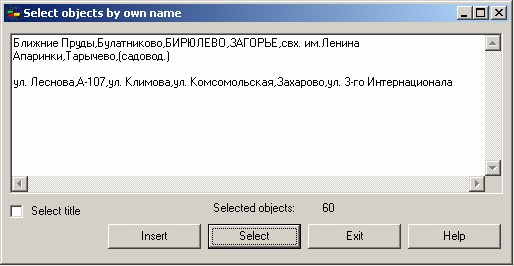
Select objects by own name |


|
|
Order of the program execution: 1. Insert the contents of the buffer into a dialog window. Press Insert button. 2. Select on a map the objects at which value of semantics «Name» coincides with names from the buffer. Press Select button.
Commas or line breaks (\n) may be used as separators for names in the clipboard. Spaces are allowed only within the name itself, for example, «Blizhnie prudyi». |
 This mode is intended to highlight objects on a map by the values of the semantics «Name». The list of values of semantics is taken from the buffer.