Map processing scenario setup

Print Previous page Top page Next page

clip0109


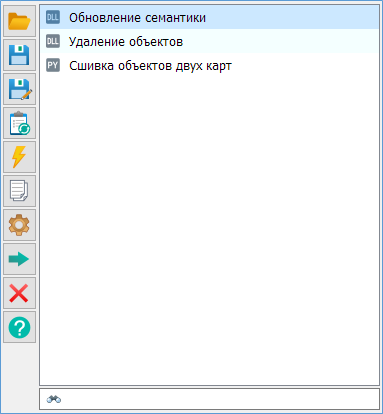
Scenario list operation modes


clip0111

Open

Open the scenario file.

clip0112

Save

Save the scenario file.

clip0113

Save As

Save the scenario file with the specified name.

clip0114

Run scenario

Process the entire scenario file. Tasks will be executed sequentially.

clip0115

Run task

Execute the current task. Enter key.

clip0116

Create copy

Create a copy of the current task.

clip0117

Configure

Configure task parameters

clip0118

Add task

Configure task parameters. Add a task from the Tasks tree to the scenario list. Double-click on a tree element.

clip0119

Delete

Delete the task. Delete key.

clip0120

Help

Open help.


The scenario list supports a Drag & Drop mode. This mode allows arranging tasks in the sequence required for processing.

To quickly search for a task by name, use the search element.

clip0110