Export Selected Objects |


|
|
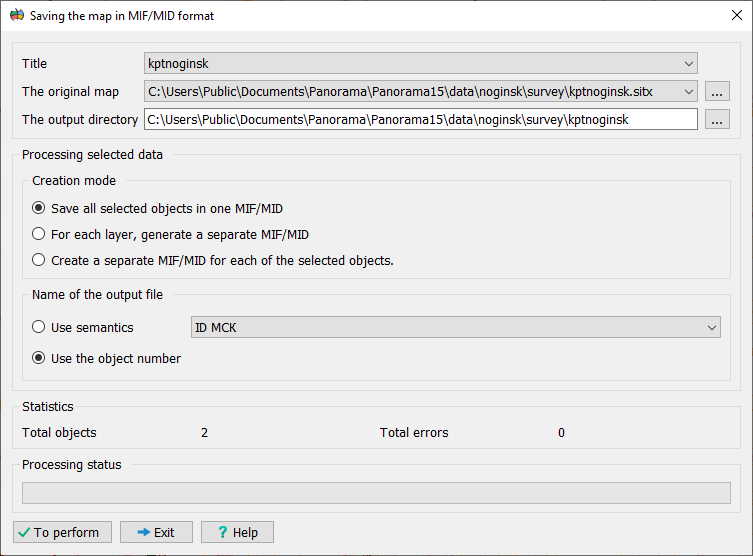
This dialog is used to save the objects selected on the map into MIF/MID exchange format files (MapInfo). Before selecting the export mode, select the area objects (parcels and their parts) on the map that you want to save.
Select the saving mode: Option A: Save each object to separate files To create a separate pair of files (MIF and MID) for each selected object, follow these steps: 1. Enable the mode: Create a separate MIF/MID for each selected object. 2. The program will automatically create a new folder for each object. 3. Set the file naming rule: • Use object ID — the file name will match the internal object ID on the map. • Use semantics — the file name will be taken from the value of the specified semantic attribute of the object.
Warning: When using semantics, you must ensure the uniqueness of this attribute's values for the selected objects. If values are repeated, files with identical names will overwrite each other.
Option B: Save all objects to a single file 1. Enable the mode: Save all selected objects to a single MIF/MID. 2. The program will automatically generate a name for a single output file pair based on information from the map classifier. 3. Note: In this mode, the options in the File Name group become unavailable, as the name is generated automatically.
Export Selected Objects to MIF/MID Format
|