Parameters of labeling polygonal objects |


|
|
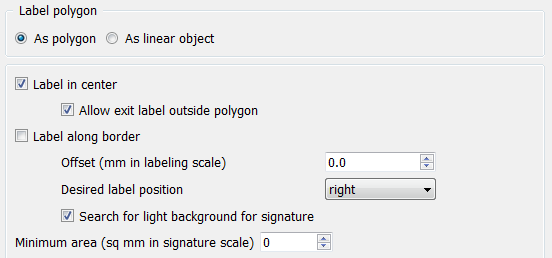
When configuring the labeling parameters for a polygon, you can choose the mode As a polygon or As a linear object. If you label the polygon as a linear object, the settings will change accordingly.
When the option Allow label to extend beyond polygon boundaries is enabled, the label will be placed even if it goes outside the boundaries of the area object.
When enabling the Allow exit label outside polygon mode, an area object will be labeled even if the label extends beyond its boundaries. When checking Search for light background for signature, the most unobstructed space around the area object is selected for the label. To exclude labeling of small area objects, the Minimum area parameter is used.
|