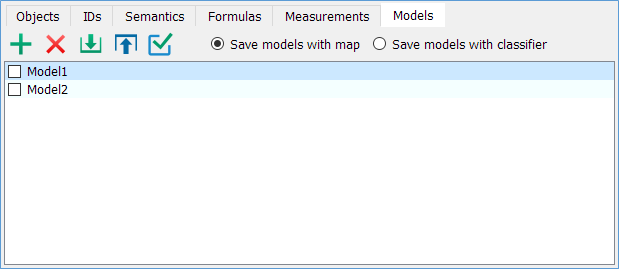
On the Models tab, you can save and apply selection criteria.
Operating Modes
Add
Add a new model with the current selection criteria.
Delete
Delete the selected model.
Load
Load models from a VCLX model file. The list of existing models can be completely replaced or appended with the loaded models. If model names match, they will be automatically renamed (e.g., "Model1," "Model2," etc.).
Save
Save the current filter conditions to the selected model.
Apply
Apply the selection criteria from the selected model to the current selection conditions.
Model Location
Location of the VCLX model file:
• Store with Map — in the \LOG subdirectory next to the map file.
• Store with Classifier — next to the map classifier.
Working Modes with the Model Table
Rename a Model
Double-click with the left mouse button
Add a Model to the Main Menu
Set the mode to add a model to the main menu via Search → Search by Model