Creation of database table |


|
|
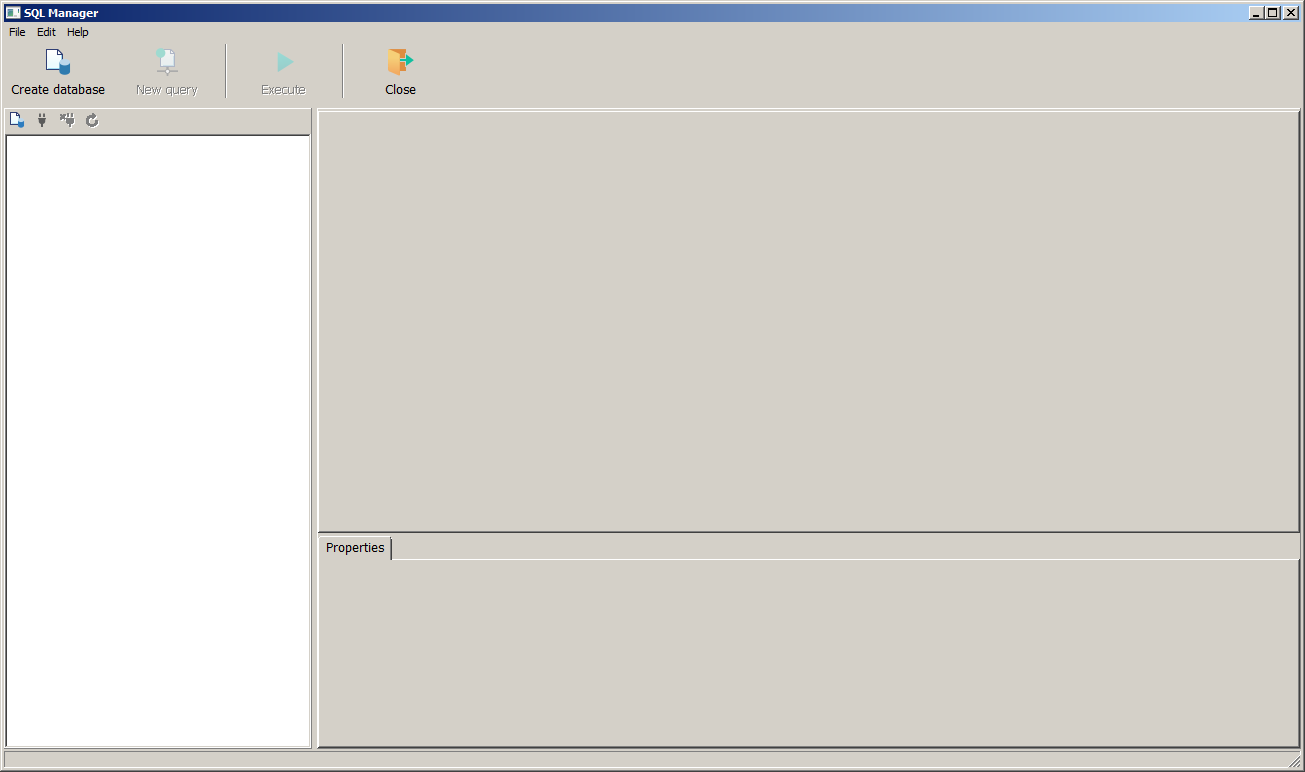
For creation of a new database, activate bookmark the Data Source of Database Administrator and press the Create button. After that on the screen the window of SQL Manager will appear. SQL Manager is an editor that is used for access, customization, management of databases.
SQL Manager Window:
Next click on the Create database button and choose the Connection Driver.
Window the Connection properties:
In the opened list choose type of created table. You can create databases of the following types: - dBase; - MS SQL; - MySQL; - PostgreSQL.
To create dBase database, select the connection catalog and then click OK. Further set the flag Register after creation and then click Finish button.
Window of Creating dBase database:
Select the Tables item in the tree, activate the menu by clicking the right mouse button and select the item Create new table.
Window SQL Manager. Creating a table of dBase database:
Further it is necessary to define the table structure: Column name, Data type, Size.
Window SQL Manager. Creations of table fields of a database dBase:
For creation of the table indexes, click the right mouse button in the field of editing table and choose from the pop-up menu the item Indexes/keys.
Window SQL Manager. Creation of the table indexes of dBase database:
Window of Creation of the table indexes of dBase database:
Secondary index is a lookup table which defines a logic order of records in the physical table. It is possible to index the table by a certain field, for example - by a surname field, and to create, thus, a way of the table construction in alphabetic order by surnames even if these surnames have been entered into the physical table in random order. So as there are no keys for tables dBase, then use of the Unique flag is the only way to provide uniqueness of records at physical level (level of the table organization). After determining the structure of the table it is necessary to save it, for this purpose press the right mouse button in the field of header of window of editing the table and choose the Save menu item.
Window of Creating a table of dBase database:
As a result the new table is recorded on the disk, originally it is empty, and all its files are automatically created. Further the window appears the Parameters of the data table in the project, which specifies the name and location of the table in the project.
Parameters of the data table:
To create MS SQL database, choose the connection driver - Microsoft SQL Server and specify a Source of connection (Data Link file or Connection String), or set the flag Ignore Connection String. To create a MS SQL database without using a connection string, you must set the appropriate check-box.
Connection Properties window:
Click Build button, then sequentially specify the needed parametres of connection.
Window The Connection Parameters:
After entering all parameters an empty MS SQL database will be created.
Window the SQL Manager:
For creation of tables it is necessary to choose in the contextual menu of the Table branch the item Create new table.
To define relationships between tables it is necessary to set a primary key of the table. For this purpose in the contextual menu of the appropriate field you must choose the item: Set Primary Key.
Window SQL Manager. Database creation:
Window of Database Creation:
After determining the structure of the table it is necessary to save it, for this purpose press the right mouse button in the field of header of window of editing the table and choose the Save menu item. For creation of MS SQL database with use of a connection string it is necessary to choose in section the Source of connection - the Connection String.
Connection Properties window:
To form the connection string, click the Build button.
Window the Properties of data link:
Window the Properties of data link :
Further it is necessary to set database parameters, as a result an empty MS SQL database will be created.
It is recommended to use specialized programs to create complex databases. |