Export from ARINC format |


|
|
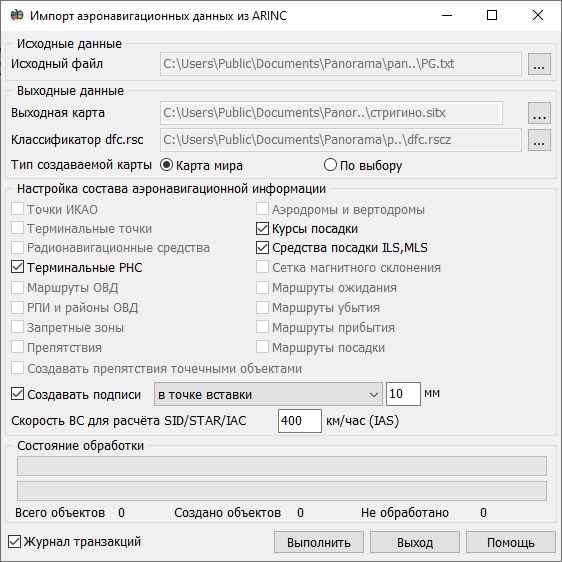
This task is intended for formation of the aeronautical data in format ARINC-424 from aeronautical maps. The task is started from the menu File → Export to....
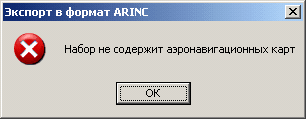
In the Source Data field, the map to be processed is selected. The dropdown list contains open maps created based on the aeronautical classifier dfc.rsc. If no aeronautical charts are present, a message is displayed indicating that the converter cannot operate.
If multiple aeronautical charts exist, the Process All Charts checkbox will become available. In the dropdown list, select the source map. After selecting a map, the system analyzes the presence of various categories of aeronautical information objects. Depending on the analysis results, checkboxes in the Aeronautical Information Configuration field will become available to adjust the composition of the aeronautical data.
In the field Save as ARINC file by the button "…" the file name is selected. You can save different categories of objects into one file, or each category (section) into a separate file. In the mode All sections in one file all information from one or several maps is exported to a single file. Writing into a file is done sequentially by sections. In the mode of Section in a single file so many files will be created, how many categories are chosen in the field Setup aeronautical layers. Each file will have a name chosen by the user, with the addition of the serial number. For example, if the file "C:\XXX\xxx.txt" is chosen then the formed files will have names "C:\XXX\xxx_1.txt", "C:\XXX\xxx_2.txt". In the field Processing state in the top line the total process of export is displayed. The percentage indicates how much of objects categories from the total number of selected categories is processed. Current processed category of objects is displayed in line «Processing state». The bottom line shows the percentage of the total export of the current categories of objects. Under the status-bar there are displayed the total number of objects for a category, number of created objects and number of objects with errors. The list of errors is stored in the log which is a text file. The journal is located in the LOG folder with the map, and has extension .arinc.LOG. The name of the journal file corresponds to the name of file ARINC into which the export is carried out.
Singularity of export's converter work: Formed text files correspond to ARINC Specification Version 424-18 and are intended for updating onboard navigation databases. Information corresponds to the following agreements: • all distances are given in tenths of nautical miles (1 NM = 1852 m); • all exceeding are specified in feet (1 ft = 0.31); • all heights are specified in flight levels (FLХХХ) or in feets; • coordinate system WGS84.
Completeness and quality of the resulting information depends on the completeness of filling the semantics of map objects. Objects that do not contain useful aeronautical information are ignored by the converter. |